




The Life is Good Kids Design-a-Thon FAQS
THE BASICS
What is the Life is Good Kids Design-A-Thon? The Design-A-Thon is a one-of-a-kind opportunity for kids to join the Life is Good Kids Design Team. Kids answer one simple question — What makes life good? — and bring their answer to life through art. We turn that art into a real, wearable Life is Good shirt. And 100% of the net profits from these kid-designed shirts go directly to the Life is Good Playmaker Project, which helps children heal from trauma through the power of play. Your child's optimism helps another child heal.
Who can participate? The Design-A-Thon is open to U.S. residents only. Void where prohibited. All artwork and information must be submitted by a parent or legal guardian on behalf of a child under the age of 18 — we are unable to accept uploads directly from anyone under 18. Kids of all ages and skill levels are welcome, from kindergartners with big colorful markers to middle schoolers with a detailed or even digital vision. There's no wrong answer, no wrong art style, and no experience required. This is also a wonderful activity for classrooms, camps, after-school programs, childcare centers, and libraries as classes wind down and camps ramp up. Educators and group leaders — print this template to share with your crew.
When does the Design-A-Thon run? The public Design-A-Thon campaign runs from Monday, May 11 through Friday, July 13, 2026. Submit your child's artwork anytime during the campaign window.
Is there a cost to participate? Participating in the campaign is completely free. You only pay if you choose to upload and purchase a shirt featuring your child's design. If you do, 100% of net profits support the Life is Good Playmaker Project.
MAKING THE ART
What should kids draw? Start by asking your child one simple question: "What makes life good?" Then invite them to draw, color, or paint their answer. There are no rules. It could be a dog, a rainbow, a soccer ball, a family pizza night, or something totally made up. Kids see the good in the world more clearly than adults do — trust them. Their answer is the right answer. You can also prompt them with questions like, "What makes you smile?", "What do you love to do?", or "What makes the world a better place?"
What art supplies work best? The key is vibrant color and strong contrast. Art that can be seen across the room and photographs well will transfer beautifully.
Best choices: markers (bold, bright), tempera or acrylic paint, oil pastels, collage and mixed media. If using crayons or colored pencils, be sure to press firmly! Older kids may also choose to create digital art that can be directly uploaded by a parent.
Avoid: pencil only (too light), white or very pale colors, very thin pen lines, chalk.
Pro tip: Fill the whole page! Art that uses the full space and pops with color makes the most eye-catching shirts. Encourage your kid to go big and bright.
What paper should we use? Standard white drawing paper or cardstock works great. Avoid lined notebook paper or heavily textured paper — plain white backgrounds photograph most cleanly. We recommend using the Design-A-Thon template available to download and print on our website. Educators: print a batch of templates for your whole class.
Does the art have to be hand-drawn, or can kids use digital tools? Hand-drawn art is the heart of this campaign. Markers, crayons, paint, collage, and mixed media are all welcome. Digital art created entirely by kids (on a tablet with a stylus, for example) may also be submitted.
PHOTOGRAPHING & UPLOADING
How do I take a good photo of the artwork? A great photo will help make a great shirt. Here's how:
- Use natural light. Place the artwork near a window. Avoid direct sunlight and indoor lamps.
- Shoot straight down. Hold your phone directly above the art, parallel to the paper. This prevents distortion.
- Fill the frame. Get close enough that the artwork fills most of the photo, with a small white border visible.
- Keep it steady. Hold still or prop your phone on something flat to avoid blur.
- Skip the filter. Upload the photo as-is. Our design team will handle the rest.
What file format and size should I upload? We support the following file types: AI, EPS, JPEG, PDF, PNG, PSD, and SVG. Use the highest resolution your camera or phone allows — low-resolution images may appear blurry when enlarged for printing. We recommend a minimum file size of 1MB and a maximum file size of 10MB for best results.
Can I submit more than one design? Yes. Parents and guardians may submit more than one design on behalf of their child or children. Each submission goes through the customizer individually.
The design doesn't look right in the preview. Can I fix it? Yes. The customizer lets you resize and reposition the artwork before submitting. A few things to check before you finalize:
- Make sure the design isn't blurry — enlarging a low-resolution image can reduce clarity. If it looks soft, try retaking the photo in brighter light near a window.
- Check that the art color shows up clearly against the shirt color you've chosen. Colors too similar to the shirt (like black art on a black shirt) won't be visible when printed.
- Make sure your image is in full color. Lower opacity can result in faded colors that look different from the preview.
- Double-check any text in the artwork for spelling before approving.
If something still looks off, try cropping your original photo more tightly around the artwork and re-uploading.
THE SHIRT
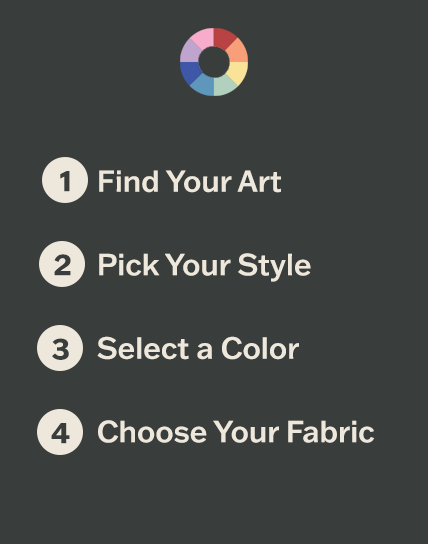
How does the shirt customizer work? After uploading your child's artwork, the customizer lets you: preview the art on the shirt in real time, adjust size and placement, and choose your shirt style and size. After ordering, parents or guardians will receive a personal shareable link via email to forward to family and friends so they can order one too.
What sizes are available? Shirts are available in a range of sizes for both kids and adults. Check the Fit Guide for the size chart.
How long does it take to receive my shirt? Each shirt is custom-made to order at our U.S. factory. Items ship within 2–3 business days of ordering. You'll receive a confirmation email when your order ships, along with tracking information.
THE MISSION & IMPACT
Where do the proceeds go? 100% of net profits from every shirt sold go directly to the Life is Good Playmaker Project — a Boston-based nonprofit that trains early childhood educators to help kids heal from trauma through play. This campaign is about kids helping kids.
What is the Life is Good Playmaker Project? The Playmaker Project is the nonprofit arm of Life is Good. Since 1989, we've trained over 30,000 early childhood educators across the U.S. and Haiti who reach more than 1 million children every year. Our work is rooted in the belief that play is the most powerful tool we have to help kids feel safe, loved, and joyful. It is a powerful and untapped part of the solution to the children’s mental health crisis. Learn more at playmakerproject.org.
Can my school, camp, or organization participate as a group? Yes, and we'd love that. The Design-A-Thon is a perfect classroom activity, camp project, or after-school program. It supports social-emotional learning and gives kids a meaningful way to focus on the good and contribute to something bigger than themselves. Educators and group leaders can print a PDF template. Participating in the campaign by creating art is absolutely free. Kids can bring their artwork home, and parents or guardians can choose to upload to turn their art into a real tee shirt. All submissions must be uploaded separately.
TECHNICAL HELP
My photo isn't uploading. What do I do? Try these steps: make sure your file is one of these types: AI, EPS, JPEG, PDF, PNG, PSD, and SVG and check that the file is under 10MB. Still stuck? Contact our team for help and we'll get you sorted.
The design doesn't look right in the preview. Can I fix it? Yes. The customizer lets you resize and reposition the artwork before submitting. If the art looks off, try cropping your original photo more tightly around the artwork and re-uploading. If it appears dark or washed out, retake the photo in brighter light near a window. Position your phone directly above the image under natural light for best results.
I didn't receive an order confirmation email. What should I do? Check your spam or junk folder first. If it's not there after a few minutes, contact our team with the name and email address used at checkout and we'll resend your confirmation.
Still have questions? Contact us.